Ever wondered what that bright star in the evening sky is? Often it isn't a star at all, but a planet: Venus or Jupiter. Or which constellation is right above you? Zenith gives you the answer instantly, right on your wrist, without reaching for your phone.
Raise your arm, point the back of the watch at the sky and the display shows exactly what is there: planets, the Moon and the brightest stars, labelled by name. Aim the crosshair at a bright dot and Zenith tells you what it is, how high it is and in which direction.
Everything is calculated on the watch itself. No phone, no internet and no subscription. A single GPS fix is enough, and your last position is remembered.
Screenshots
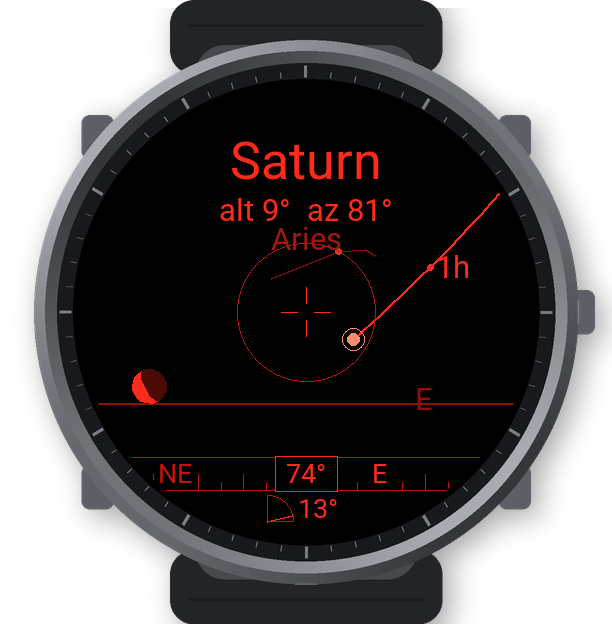
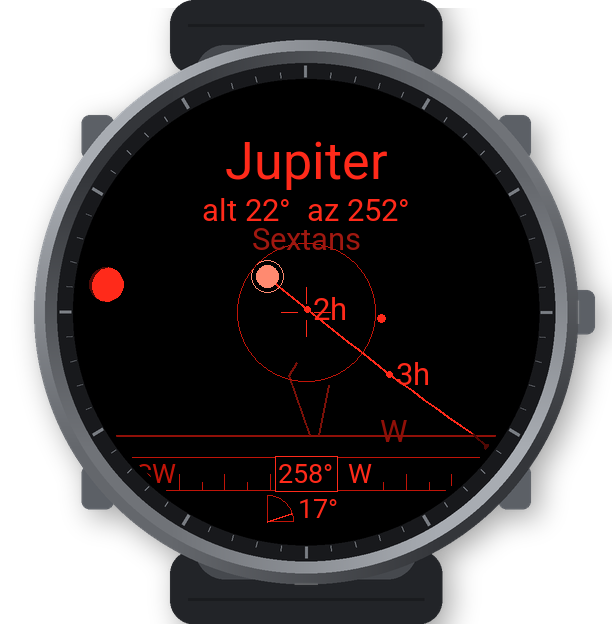
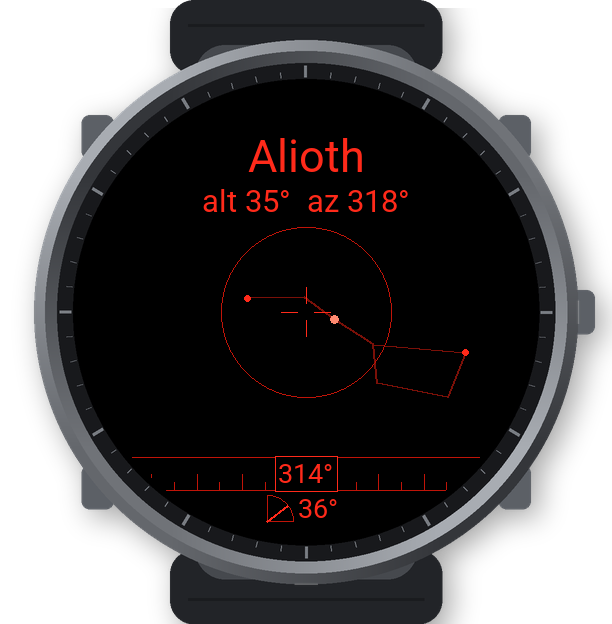
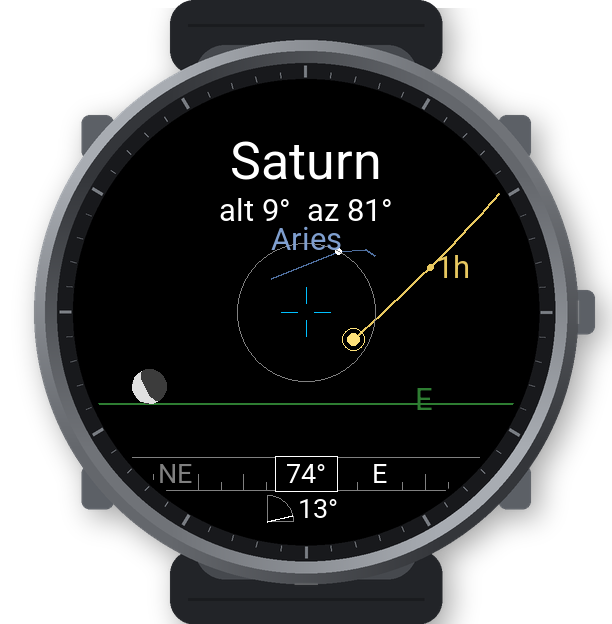
What you see
- All planets from Mercury to Neptune, the Moon with its current phase, and the Sun (shown as a warning, never as a target).
- Up to 90 of the brightest stars with their traditional names.
- Horizon line and compass directions whenever they are in view.
- A compass tape with the direction you are pointing, and a gauge with how high above the horizon you are pointing.
- A crosshair that identifies the nearest object within 10° and shows its altitude and azimuth.
- The figure and name of the constellation you are pointing at, following the official IAU constellation boundaries.
- The path of a targeted planet or the Moon for the next 3, 6 or 12 hours, with hourly marks in local time.
- Red night mode, on by default, keeps your eyes adapted to the dark.
- An object list with the altitude and azimuth of the Sun, Moon and all planets.
Planet and Moon positions come from established astronomical models (JPL Keplerian elements, a lunar theory after Meeus), including precession, parallax and refraction, accurate to about 0.1° until 2050. Pointing accuracy depends on your watch's compass, typically a few degrees after calibration.
Languages: English, Čeština, Deutsch, Français, Español.
How to use
- Start Zenith. On first launch it offers a compass calibration: tap START and draw a figure eight with your arm for about 15 seconds, away from metal and electronics.
- Wait for a GPS fix outdoors. You only need it once; the location is remembered.
- Raise your arm above your head and look at the display from below. The display shows the part of the sky behind the watch.
- Aim the crosshair at an object to see its name, altitude and azimuth.
- Swipe up or down to switch between the sky, the object list and the calibration. Swipe in from the right edge to open the menu.
All settings are on the watch, and also in the Connect IQ app on your phone.
Supported watches
Garmin watches with a compass (magnetometer), an accelerometer and a colour display: Venu X1, Venu 2/2 Plus/2S/3/3S/4, Venu Sq 2, vívoactive 5/6, Forerunner 165/170/255/265/570/945 LTE/955/965/970, fēnix 6 Pro/7/8/9/E, epix (Gen 2)/Pro, Enduro 3, Instinct 3 AMOLED, MARQ (Gen 1/2), D2 Air X10/Mach, Descent Mk2/Mk3/G2, Approach S50/S70.
FAQ
- The objects are in the wrong place.
- Calibrate the compass (menu → Compass calibration) away from metal, cars and electronics. Check the magnetic declination in the menu; the default of +5° E fits Central Europe.
- I only see "Raise your arm".
- You are pointing the back of the watch at the ground. Raise your arm so the back of the watch faces the sky.
- Why do I see only a few stars?
- By default Zenith shows the 47 brightest stars so the display stays readable. Increase the magnitude limit in the menu to see up to 90 stars.
- Does it work without a phone or internet?
- Yes. Everything is calculated on the watch. It only needs a GPS fix once.
- The display is too bright at night.
- Night mode (red) is on by default. You can set the display brightness in the watch settings.
- The display turns off while I am observing.
- In the menu, pick a brightness under Keep on – night (shown in red night mode) or Keep on – day (shown in day mode); each mode remembers its own brightness. In night mode it is on at 10 % by default. Zenith then keeps the display on while the watch points at the sky; lower your arm and it turns off as usual. Watches with an AMOLED display may still turn it off after a while to prevent burn-in; lower and raise your arm again.
- The app stops responding after a firmware update.
- Restart the watch. In rare cases the Connect IQ system on the watch stops delivering timer and sensor events to apps until a restart.
Support
Questions and bug reports: garmin.dev@leisoft.cz
Credits
Constellation figures: d3-celestial © 2015 Olaf Frohn (BSD licence). Constellation boundaries: IAU, Roman (1987). Star data: Yale Bright Star Catalogue (CDS V/50); star names: IAU WGSN (CC BY). Constellation names: Wikidata (CC0).